For edge AI inference, the single most consequential hardware decision is whether you need specialized efficiency or general-purpose flexibility — and the gap is bigger than most spec sheets suggest. Benchmark data reported by DEEPX for YOLOv7 shows an AI-optimized NPU delivering roughly 40 frames per second per watt, versus about 2 FPS/W for a general-purpose GPU or high-power CPU approach: a 20x performance-per-watt advantage for that model. This article compares the major architecture types — NPU, GPU, and FPGA — across power, latency, and cost, and gives you a framework for matching one to your application's binding constraint.
Understanding Edge AI Hardware Trade-offs
Edge AI inverts the cloud's assumptions. As ZEDEDA's engineering commentary puts it, edge success is "profoundly shaped by the constraints of the physical world" — fixed compute, fanless enclosures, and processors that throttle to avoid overheating. A neuromorphic computing survey on arXiv notes edge devices often run on battery budgets under 1 Watt, while state-of-the-art deep models can demand anywhere from 100 mW to several Watts at inference.
The trade-off is also architectural, not just thermal. OnLogic's Hunter Golden illustrates the model-side dimension with YOLO11: the nano variant needs 6.5 billion FLOPs, while the extra-large model needs 194.9 billion — nearly 30x more compute for a relatively modest accuracy gain. Your hardware must absorb whichever point on that curve you pick, and Patsnap Eureka's analysis identifies this model-complexity-versus-resources tension as the primary latency bottleneck at the edge.
Essential Metrics for Edge AI Evaluation
Raw throughput is the number vendors love, and it's misleading. A device delivering 1,000 inferences per second with a p99 latency of 200ms is useless for a real-time application that needs p99 under 10ms, as GMI Cloud's benchmarking guide by Colin Mo explains. The metrics that actually matter are threefold.
First, inference latency: how fast a result appears after input, typically targeted at p99 under 10ms for real-time edge work. Second, performance per watt at your required throughput — Mo's worked example shows an L4 GPU drawing 72W to deliver 500 inferences/second, or 6.9 inferences per watt. Third, throughput under latency constraints: the inferences per second you get while holding your latency target, not the theoretical peak. A structured framework across these dimensions, Mo argues, "prevents decisions based on incomplete vendor claims."
Specialized NPUs: Efficiency for Focused Tasks
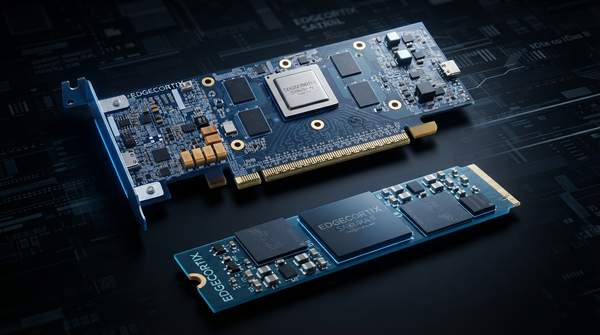
Neural Processing Units are purpose-built for neural network inference, and the DEEPX figures show what that specialization buys. In the company's YOLOv7 comparison, its DX-M1 NPU achieved about 40 FPS/W at an average power consumption of 2–3 Watts, with processing efficiency of 8 FPS per TOPS. Two competitor accelerators landed at 20 and 23 FPS/W on 5W and 4–8W average budgets respectively.
The practical consequence is thermal and electrical. Illuminious' chip-selection guide notes that a 5W NPU can run passively in an enclosure where a 200-TOPS GPU requiring active cooling would be unsuitable. That makes NPUs the natural fit for battery-powered or fanless devices doing specific, repetitive AI tasks. The qualification matters: these figures are for one model on one vendor's benchmark, and NPUs are less flexible when your models change frequently.
General-Purpose GPUs: Flexibility and Raw Performance
GPUs trade efficiency for breadth. In the DEEPX comparison, the GPGPU delivered roughly 2 FPS/W at an average of 40 Watts — strong raw compute spread across a much wider range of models and general-purpose parallel workloads, but at a power budget that assumes mains power or a substantial battery.
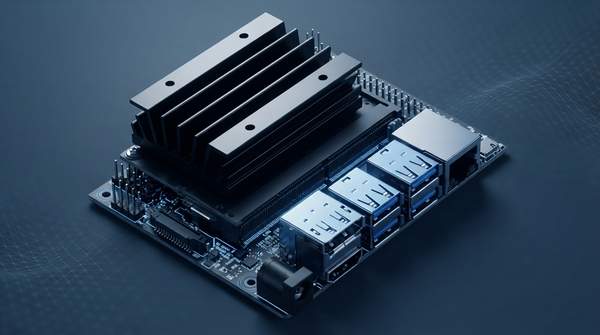
That flexibility is why GPUs dominate prototyping and model-diverse applications. The NVIDIA Jetson ecosystem is the representative example here: a Microcontrollers Lab buying guide by Bilal Ahmad prices the Jetson Orin Nano Super at $249, with edge AI boards in that guide spanning from a $15 ESP32-based board upward. GPU development kits are widely available and entry costs can be low, but per Illuminious, GPU-based designs often carry higher bill-of-materials and thermal costs at production scale.
FPGAs: Customization for Evolving Workloads
Field-Programmable Gate Arrays occupy a third position: reprogrammable hardware. QS Compute's 2026 accelerator comparison highlights two edge-specific strengths. FPGAs can process raw sensor or network streams, extract features, and then pass a reduced workload to a downstream GPU, thereby minimizing the data volume handled by the expensive accelerator. And when your algorithm or protocol is still changing — new compression standards, new radar waveforms — a reprogrammable fabric protects the hardware investment.
The cost is complexity: FPGA development demands hardware-description expertise and longer integration time than dropping a model onto an NPU SDK or GPU runtime. For stable, high-volume products that's rarely worth it; for evolving standards or custom signal processing ahead of an accelerator, it can be the only architecture that fits.
Edge AI Hardware Comparison: NPU vs. GPU
The table below consolidates the DEEPX YOLOv7 benchmark with the cost and application guidance from the sources above. Note the GPU column reflects GPGPUs generally, not the Jetson Orin Nano specifically.
| Dimension | AI-Optimized NPU (e.g., DEEPX DX-M1) | General-Purpose GPU (GPGPU) |
|---|---|---|
| Typical power consumption | Avg. 2–3 W in the DEEPX benchmark; enables passive cooling in enclosed devices | Generally higher; 40 W average in the same benchmark, typically requiring robust power and cooling |
| Performance (FPS/Watt) | ~40 FPS/W for YOLOv7 — a 20x advantage over the GPGPU on the same model | ~2 FPS/W for YOLOv7; strong raw throughput across diverse models instead |
| Best for | Power-constrained, specific, repetitive inference tasks in embedded systems | Flexible, complex, or evolving models; prototyping; high raw throughput |
| Typical development kit cost | Roughly $100 to $500+ depending on vendor and features | Widely available, from ~$15 entry boards to $249 for a Jetson Orin Nano Super; varies by board |
Read the table as a hierarchy for power-constrained applications: the order-of-magnitude FPS/W gap means a battery-powered device that could never host a 40W GPGPU can still run real-time inference on a 2–3W NPU. Actual consumption always depends on the specific chip and workload, and these cost figures are hardware-class ranges, not quotes — they exclude operating costs, where the NPU's efficiency advantage compounds.
Decision Framework: Matching Hardware to Application Constraints
Start by naming your binding constraint, then let it drive the architecture.
- Power efficiency is binding (battery-powered IoT, fanless enclosures): choose an NPU. The 20x FPS/W advantage and 2–3W average draw make it the only class that fits sub-10W budgets; accept reduced flexibility for rapidly changing models.
- Model flexibility is binding (prototyping, diverse or evolving models): choose a GPU. You get a mature software ecosystem and broad model support, provided your power budget and cooling can absorb roughly 40W-class consumption.
- Your algorithm is still changing (new standards, custom signal processing): consider an FPGA, or an FPGA pre-processing front end feeding a GPU, so reprogrammability protects the hardware investment.
- Latency is binding (real-time response): whichever architecture you pick, validate throughput at your p99 target — under 10ms for most real-time edge work — rather than trusting peak throughput figures.
Cost fits into this as a secondary filter: development kits span roughly $15 to $500+ across classes, so entry price rarely decides the architecture — power draw over the product's lifetime and redesign risk do.
Making an Informed Edge AI Hardware Decision
Engineers should select an edge AI hardware architecture by prioritizing their primary application constraint, whether it's extreme power efficiency, lowest possible latency, or maximum model flexibility. The evidence supports a clear default: battery or thermal constraints point to an NPU, model diversity points to a GPU, and evolving algorithms point to an FPGA fabric.
The measurable indicator of a sound choice is that the chosen hardware demonstrably meets the primary constraint — your battery life target or real-time response threshold — during initial prototyping and benchmark testing. Before committing, run your actual model at your actual p99 latency target and record FPS/W; if the result clears your constraint with margin, the architecture is right regardless of what the vendor's peak-throughput headline claims.
Sources
- Why Performance per Watt Is Becoming the Key Metric in Edge AI — MY
- Edge AI Models Explained: Balancing Accuracy, Power, and Thermal Limits — ZEDEDA
- Energy-Efficient Neuromorphic Computing for Edge AI — ARXIV
- Right Sizing Your Edge AI Hardware — Onlogic
- Edge Computing Latency in AI Inference: Model Size, Hardware Limits, and Throughput — Patsnap Eureka
- Which Edge AI Inference Platforms Offer the Best Efficiency? — GMI Cloud
- AI Hardware Startup Chip Selection: NPU, GPU, or FPGA — A Practical Guide — Illuminious
- Best TinyML and Edge AI Development Kits in 2026 (Buying Guide) - Microcontrollers Lab
- FPGA vs GPU vs ASIC for Edge AI Inference 2026 — Choosing the Right Accelerator Architecture — Qscompute