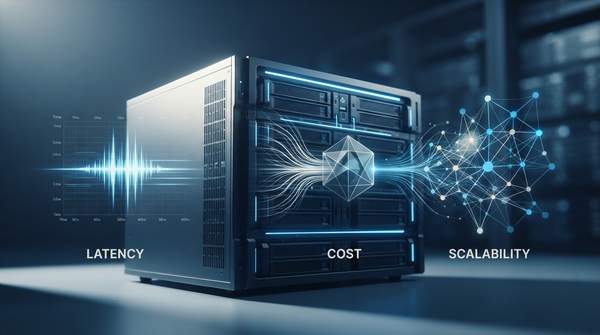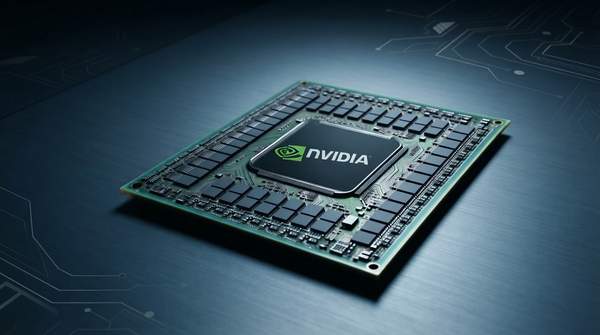
For a developer or hardware engineer sizing an edge device, the NPU-versus-GPU question resolves into one central trade-off: neural processing units deliver the best performance-per-watt for dedicated AI inference, while graphics processing units buy workload versatility at a materially higher energy cost. As IBM's technology explainer puts it, the fundamental difference "comes down to chip architecture and processing capabilities" — GPUs carry thousands of cores for fast, precise graphics rendering, while NPUs "prioritize data flow and memory hierarchy" for real-time AI workloads. This article unpacks what those architectural choices actually mean for inference power draw, latency and cost on a device you have to cool from a battery or a fanless enclosure.
Introduction to AI Accelerators at the Edge
Edge devices increasingly run neural networks locally — vision pipelines, wake-word detection, on-device assistants — and the general-purpose CPU is a poor home for that work. Both NPUs and GPUs offload "repetitive and resource-intensive operations" from the CPU, as engineering writer Ramsha Jawaid explains on Wevolver, but they do so with different design intent. GPUs leverage parallel processing for high-performance tasks like 3D rendering, scientific simulation and AI model training; NPUs are "purpose-built for AI inference, enabling low-latency and power-efficient execution of neural network tasks directly on devices."
That distinction has direct engineering consequences, Jawaid warns: choosing the wrong accelerator means either provisioning compute headroom you will never use, or building a pipeline that cannot handle real inference load once prototyping ends. The scope here is inference on edge hardware — not large-scale training in data centers — and the comparison stays at the architectural level rather than benchmarking specific commercial chips.
Architectural Foundations: NPU vs. GPU Design
The two processor classes descend from different problems. The GPU's heritage is graphics: thousands of cores arranged for the fast, precise, massively parallel computation that rendering demands, later adapted to general-purpose parallel workloads. The NPU has no such heritage to honor. Its design goal, per IBM's explainer, is machine learning and artificial intelligence tasks specifically, with the chip organized around data flow and memory hierarchy rather than raw core count.
Both excel at the parallelism AI requires — IBM is careful on this point — but they parallelize differently. A GPU spreads a workload across a large pool of general-purpose cores; an NPU dedicates a greater number of specialized compute units to the repetitive operations that dominate neural networks. AOL's hardware coverage, by Adnan Ahmed, notes that NPU cores handle "repetitive operations such as matrix multiplication, which plays a huge role in how neural networks work," and that NPUs also feature on-chip memory that "dramatically reduces latency — directly improving both performance and efficiency."
NPU Efficiency: Optimized for Neural Network Operations
The NPU's power advantage is not a generic "purpose-built" label — it comes from matching the silicon to the arithmetic neural networks actually perform. A benchmarking study of edge AI platforms posted on arXiv frames the point precisely: linear algebra operations "such as matrix multiplication… form the backbone of many ML algorithms" and reveal the raw computational character of a platform. An NPU is built around exactly that backbone.
A technical comparison of edge accelerators on Medium lists the operations NPUs optimize for — matrix multiplication, tensor operations, convolution layers — and observes that "these operations dominate modern AI workloads." Because the data paths, memory hierarchy and compute units are shaped for these short, repetitive calculations, the NPU extracts more performance per watt, with lower power consumption that the same source calls "critical for battery devices, fanless systems, industrial edge deployments." It also reports better sustained AI performance for INT8 and INT4 quantized models — the low-precision formats typical of edge inference.
Everpure's educational comparison makes the same claim from the workload side: NPUs "require far less power to execute the same processes as a GPU at comparable speeds," because they are specially designed for neural network operations. The efficiency claim is bounded, though — it applies to AI inference workloads, and the same sources note it does not extend to general-purpose computing or to training at data-center scale.
GPU Versatility: Parallel Processing for Diverse Workloads
The GPU's case rests on breadth. Wevolver's overview identifies its strengths as 3D rendering, scientific simulation and AI model training — workloads that demand massive parallel computation but not the narrow, repetitive pattern of an inference pipeline. A device that must run AI alongside graphics, physics simulation or other parallel compute benefits from that generality: one accelerator serves several masters.
The price is energy. The Medium comparison lists the GPU's limitations bluntly: higher power consumption, more thermal output, and less efficiency than NPUs for neural workloads. Everpure agrees that GPUs offer excellent parallel computing "but at a higher energy cost." On a mains-powered box with active cooling, that cost may be acceptable; on a battery-powered or fanless edge device, it is often disqualifying for sustained inference.
NPU vs. GPU: Architectural and Performance Comparison for Edge AI
The table below contrasts the two architectures across the six dimensions that drive an edge deployment decision. Read it as a mapping from design intent to consequence: each row follows from what the chip was built to do, not from a benchmark of any specific commercial part.
| Dimension | NPU | GPU |
|---|---|---|
| Architectural goal | Specialized for efficient, low-power AI inference — designed specifically for neural network operations | Versatile parallel processing for graphics and general-purpose computing — originally for graphics, adapted for parallel workloads |
| Core design philosophy | Optimized dataflow and memory hierarchy for neural network operations; prioritizes specific AI algorithm types | Thousands of cores for high-throughput, general-purpose parallel computation |
| Primary workload optimization | Matrix multiplication and tensor operations — highly efficient for the repetitive, short calculations in neural networks | Graphics rendering, scientific simulation, and AI training/inference — excels in tasks requiring massive parallel computation |
| Power efficiency profile | High performance-per-watt; requires significantly less power for comparable AI inference speeds — ideal for battery-powered edge devices | Higher power consumption and thermal output; suitable where the power budget is less constrained |
| Flexibility / versatility | Narrower — optimized for AI/ML workloads, less flexible for general compute | Broad — one card can handle training, rendering and simulation |
| Ideal use case (edge AI) | Dedicated, low-latency inference on battery-powered or fanless devices, including INT8/INT4 quantized models | Hybrid edge systems combining AI with graphics or simulation, where power budget and cost allow |
Cost follows the same logic. Wevolver notes that NPUs are a cost-effective default for edge AI because you are not paying extra for dedicated AI hardware you cannot reuse, whereas GPUs are often sold and priced separately — a single data-center-grade GPU for AI training "can cost more than an entire NPU-equipped smartphone." For a narrow, specialized AI task, the NPU is often the more economical choice; the GPU's premium is justified by versatility.
Making the Right Choice: NPU or GPU for Your Edge AI Project
The decision rule: select an NPU for power-constrained, low-latency, dedicated AI inference tasks on edge devices, or a GPU for versatile parallel processing, hybrid workloads and scenarios with higher power budgets. Concretely, that splits into three checks you can run against your own project.
- Workload shape. If the device's compute load is dominated by neural network inference — vision, detection, quantized INT8/INT4 models — the NPU's matrix-multiplication-optimized dataflow wins on performance-per-watt and sustained efficiency.
- Power and thermal envelope. Battery-powered or fanless systems favor the NPU, whose lower power draw and thermal output suit exactly those deployments; a GPU's higher energy cost is tolerable only where cooling and supply are unconstrained.
- Versatility and cost. If the same silicon must also render graphics or run simulations, the GPU's breadth can justify its price; if the task is narrow, paying GPU prices for unused generality is the wrong provisioning.
Whichever you choose, validate it empirically: the measurable indicator of a correct selection is that the chosen processor's actual power consumption and inference latency for your target AI model meet the project's specified constraints. An arXiv benchmarking study of edge AI platforms makes the same point from the research side — benchmarking "exposes processing unit strengths, guiding hardware selection and workload optimization on heterogeneous platforms." Run your model on the candidate part, measure watts and latency under sustained load, and let those numbers — not the purpose-built marketing label — confirm the architecture decision.